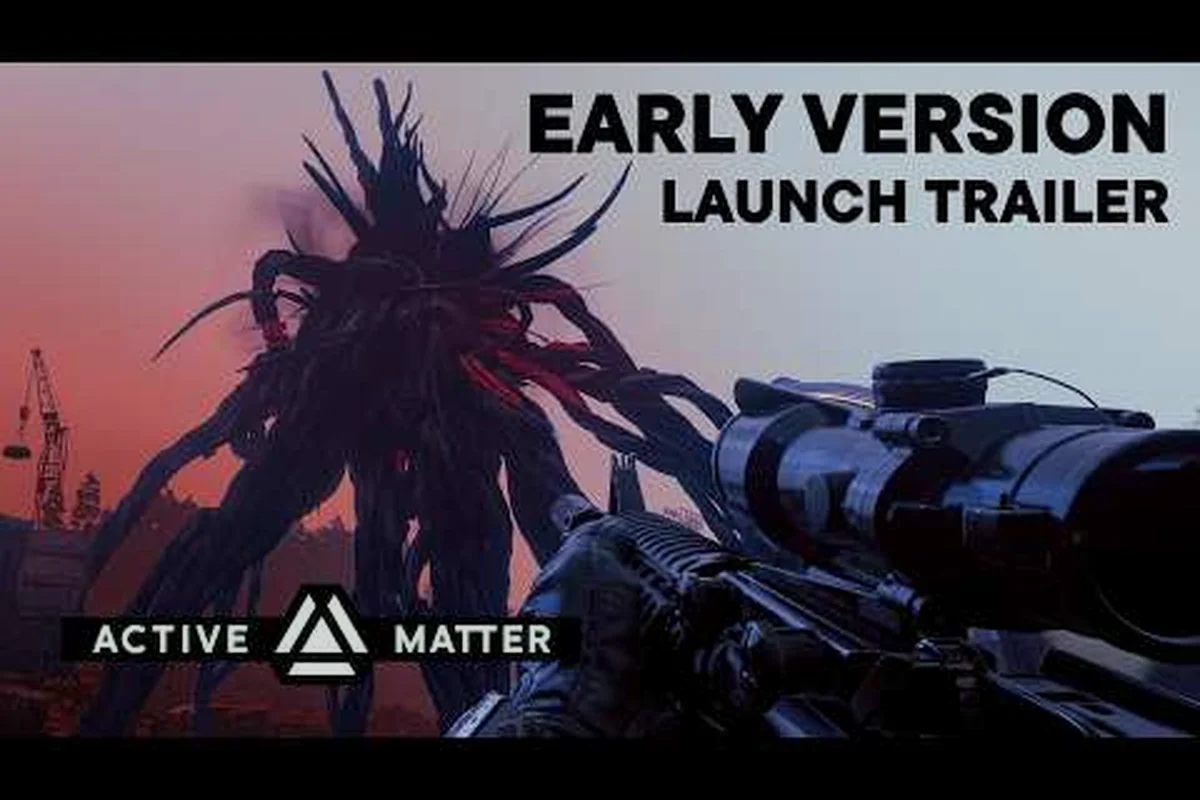
Active Matter is playable right now through the Gaijin Store, giving shooter fans a head start before the full Active Matter Steam release on September 15, 2026. This Active Matter Gaijin store guide breaks down every edition, shows you how to link progress to Steam, and walks through exactly how to squad up with friends in co-op. If you've been waiting to step into the fractured multiverse, the early window is open and the upgrade path is straightforward.
Why the Gaijin Store Early Version Matters
The Gaijin Store is currently the only place where you can play Active Matter before launch. According to the official site, the Early Version is a live, evolving build that ships ahead of the September 15, 2026 release on Steam, PlayStation 5, and Xbox Series X|S. Anyone who buys in now gets a meaningful advantage: you learn the maps, master the gunplay, and stockpile faction reputation while the broader player base is still waiting for launch day.
| What you get today | Gaijin Store Early Version | Steam launch (Sep 15, 2026) |
|---|---|---|
| Playable build access | Live, evolving build available immediately via Gaijin Store | Available on Sep 15, 2026 (Windows, Linux, PS5, Xbox Series X/S) |
| Map knowledge lead time | Days to weeks of head start learning maps and gunplay | Starts from zero on launch day |
| Faction reputation farming | Can stockpile syndicate reputation before broader player base | Resets to launch-day standing alongside all Steam buyers |
| Cross-store progress link | Gaijin purchase unlocks free Steam access; progress syncs between Gaijin and Steam accounts | Steam account receives linked build, progress carries over from Gaijin |
| Edition upgrade path | Log in with original Gaijin account to see upgrade option + price difference | Upgrades handled post-launch through Steam edition tiers |
This Active Matter early access guide is built for two groups of players. First, the ones who want to play today and don't want to wait for the Steam page to go live. Second, the ones who plan to buy on Steam anyway but want to know whether buying early unlocks anything extra. The short answer is yes, and the details below explain exactly how that works.
The Gaijin Store also bundles a few perks that won't appear on Steam at launch. The Elite Squad Edition includes two additional Standard Edition codes for teammates, which is the fastest way to bring a full squad online without forcing everyone to buy on the same storefront. For players who care about cosmetics, the Premium and Elite tiers come with exclusive weapon charms and skin packs that are tied to the Gaijin purchase and carry over once the Steam build syncs.
Active Matter Editions Compared
Active Matter ships in three paid tiers, and the differences are more meaningful than a simple "more stuff" tier ladder. Each edition changes how many friend invites you get, what cosmetic items are bundled, and whether you can upgrade later for the price difference. The table below lays out what you get for your money on the Gaijin Store.
| Edition | Price (USD/EUR) | Co-op Codes Included | Cosmetics | Upgrade Path |
|---|---|---|---|---|
| Standard | $29.99 | None | None | Upgrade to Premium or Elite |
| Premium | $49.99 | None | Weapon charm + skin pack | Upgrade to Elite |
| Elite Squad | $89.99 | Two Standard codes for friends | Premium cosmetics + exclusive Elite charm | Top tier, no further upgrade |
The Standard Edition is the entry point. It includes the full game and access to all PvPvE raids, syndicate progression, and the multiverse narrative. It's a solid pick for solo players or anyone who plans to grind their way to endgame gear without spending extra.
The Premium Edition adds cosmetic flair and is the sweet spot for players who care about how their operator looks. The weapon charm and skin pack are visible across all raid modes, and the upgrade path lets you move to Elite later by paying the difference. The official FAQ confirms that upgrades are handled through the Gaijin Store account used for the original purchase, so there's no risk of losing your progress.
The Elite Squad Edition is the co-op playmaker. Two extra Standard codes mean you can hand a copy to two friends, who can then queue into the same raids as you. The exclusive Elite charm rounds out the cosmetic bundle. If you have a regular squad and want everyone online the day the Steam release goes live, Elite Squad is the most efficient bundle.
How to Upgrade Between Editions
If you start at Standard and decide you want the Premium cosmetics, or if you start at Premium and want the Elite Squad perks, you don't have to buy a second copy. Log into the Gaijin Store with the same account that made the original purchase, and the upgrade option appears in your library with the price difference automatically calculated. The official FAQ specifically calls this out as a one-click flow, and the upgrade applies to the same account without resetting your save.
Linking Your Gaijin Purchase to Steam
One of the most common questions for new players is how progress moves between the Gaijin Store Early Version and the Steam release on September 15. The process is designed to be painless, and according to the official news post, every Gaijin Store buyer gets free access to the game on their Steam account when the Steam build goes live.
The linking step matters because the Gaijin Store and Steam use separate launchers, separate friend lists, and separate save data until you connect them. The community has been testing this flow during the Early Version cycle, and the consensus from player reports is that linking takes about five minutes and survives every patch.
Step-by-Step Linking Flow
-
Buy Active Matter on the Gaijin Store and keep your order confirmation email.
-
Create or sign in to your Steam account before September 15, 2026.
-
On launch day, visit the Active Matter Steam page and click "Play Now" — your Gaijin purchase automatically grants access.
-
In-game, open Settings and select "Link Gaijin Account."
-
Sign in with the Gaijin credentials used for the original purchase.
-
Confirm the link in both the Gaijin client and the in-game prompt.
After linking, your operator, syndicate reputation, and unlocked cosmetics carry over. Inventory items earned during the Early Version remain in your safe container, and any faction-based unlocks stay attached to your account. The link is permanent, so you only need to do it once.
For players worried about edge cases, community testing reports one quirk: if you bought the Elite Squad Edition and used both friend codes, the linked friends need to complete the same linking flow on their own Steam accounts. Their Standard codes unlock the game for them, but they must connect their Gaijin account to their Steam account to share friend-list data and squad invites.
Active Matter Game Explained: Setting and Core Loop
Active Matter drops you into a hostile, unstable multiverse where realistic military gunplay collides with twisted environments, gravity-defying anomalies, and SCP-style strange objects. The setting is the hook: every raid zone is a pocket of fractured reality, and the substance called "active matter" is the resource everyone is fighting over because it bends time and space. The faction wars are downstream of that central scramble.
The core gameplay loop is built around extraction raids. You drop into a contested zone with a loadout, fight other players and AI threats, collect active matter and loot, and extract before the zone collapses. The official Steam page describes the loop as "join dangerous raids for loot or intense PvP battles," which is the cleanest summary of the design intent.
Players who want pure PvP can stay in the contested zones and hunt other operators for their loot. Players who want PvE progression can focus on completing objective-based raids, taking down elite AI threats, and extracting with the highest-value cargo. The two styles feed the same progression system, so neither path feels like a dead end.
Three Core Gameplay Pillars
-
Realistic Gunplay: Weapon handling rewards positioning, recoil control, and ammo discipline. The shooting model is deliberately grounded, which makes loadout choices matter in a way arcade shooters often skip.
-
Multiverse Zones: Each raid map has environmental anomalies — gravity flips, time dilations, and shifting architecture. These aren't gimmicks; they change your movement and sight lines mid-fight.
-
Active Matter Resource: The substance that bends time and space is the universal currency. You need it to unlock higher-tier gear, upgrade your safe container, and progress your syndicate's research track.
For a deeper breakdown of how raids work, the extraction guide walks through raid types, extraction points, and how to plan your loadout for each risk level.
How to Play Active Matter With Friends in Co-Op
The co-op question is the most practical part of any Active Matter early access guide because the game is at its best with a coordinated squad. The Gaijin Store Elite Squad Edition gives you two friend codes, but even Standard buyers can squad up through the in-game social menu once everyone owns a copy on the same launcher.
The game supports squads of up to four players. You can queue into raids as a group, share loot drops through the in-game ping system, and revive downed teammates within a short window. Voice chat is built in, so you don't need a third-party app to coordinate. The official FAQ confirms that squad invites work across all three editions, so the only barrier to co-op is whether your friends own the game.
Building a Squad on Day One
If you're starting from scratch on the Gaijin Store, the cleanest path is for one player to buy the Elite Squad Edition and hand the two included Standard codes to two friends. All three players then own the game, can link their Gaijin accounts, and can queue into raids together from the first session. The fourth slot in your squad can be filled by matchmaking if you don't have a fourth friend ready to buy.
For players who already have a full friend group on Steam, the September 15 launch is the moment to coordinate. The Steam release supports cross-launcher friend invites once the Gaijin accounts are linked, so your Gaijin Store squad and your Steam-only friends can end up in the same raid lobby. According to the official news post, the linking flow explicitly preserves friend-list data, so you don't lose connections when the launcher changes.
Co-Op Communication and Roles
Active Matter rewards squad specialization. Running four identical loadouts is a quick way to lose a contested extraction, so most successful squads assign roles before queuing in. A common community split is two assault players, one recon or support, and one designated extractor who holds the extraction point while the rest of the squad pushes forward.
-
Assault Role: Carries the front, pushes into contested zones, and breaks enemy lines. Best with high-damage mid-range weapons and armor plating.
-
Recon Role: Scans ahead with optics, calls out enemy positions, and flanks from unexpected angles. Works well with suppressed weapons and mobility perks.
-
Support Role: Carries healing items, ammo caches, and revive tools. Stays near the squad core and keeps everyone fighting fit.
-
Extractor Role: Holds the extraction zone, clears any PvP interference, and manages the loot handoff. Often runs a defensive loadout with a secure container.
If you want a fuller breakdown of which weapons and gear to bring for each role, the early game loadout guide covers safe container setups and starter equipment that scales into late game.
Pre-Launch Checklist: What to Do Before September 15
The gap between the Gaijin Store Early Version and the Steam launch is short, and the players who get the most out of it are the ones who use the window deliberately. This checklist covers the practical steps you can take today to make the September 15 transition smooth.
| Task | Why It Matters | When to Do It |
|---|---|---|
| Pick your edition | Locks in co-op codes and cosmetics | Today |
| Buy on Gaijin Store | Grants Early Version access | Today |
| Complete the tutorial raid | Unlocks core systems | First session |
| Join a syndicate | Starts faction reputation grind | First week |
| Earn 5+ extraction wins | Unlocks mid-tier safe container | Before Sept 15 |
| Link Steam account | Pre-stages cross-launcher access | Sept 14 or earlier |
| Pre-load Steam build | Avoids launch-day queue | Sept 14 evening |
Joining a syndicate is a step many new players skip, and it's the one that costs the most in the long run. Syndicates unlock faction-specific weapons, exclusive raid zones, and a syndicate-war PvP mode that pits entire factions against each other. Starting your reputation grind during the Early Version means you hit the ground running on launch day instead of playing catch-up. For the full breakdown of which syndicate to pick, the PvP and syndicate guide compares the available factions and their unlock paths.
The pre-load step is underrated. Active Matter's launch-day download is large, and the Steam servers will be under load. Pre-loading the build the night before means you can log in at the moment the servers flip and start playing immediately. If you bought the Gaijin Store Early Version, the Steam build will recognize your linked account and skip the purchase flow.
Frequently Asked Questions
Can I buy Active Matter on Steam before September 15, 2026?
No. The Steam release goes live on September 15, 2026. The only way to play earlier is the Gaijin Store Early Version, which is live now and links to your Steam account on launch day. Pre-orders on Steam are not currently available, and the official site recommends buying on the Gaijin Store if you want early access.
Do Gaijin Store cosmetics carry over to Steam?
Yes. Weapon charms, skin packs, and Elite-tier cosmetics purchased on the Gaijin Store remain attached to your account after you link to Steam. Community testing confirms the cosmetic library syncs within minutes of completing the linking flow, and items appear in your loadout screen on the Steam build without any extra purchase.
What happens to my Early Version save on launch day?
Your save carries over. Operator level, syndicate reputation, unlocked weapons, and safe container contents all transfer when you link your Gaijin account to Steam. The only data that does not transfer is your launcher-specific friend list, which is rebuilt automatically once the link completes. According to the official news post, this linking flow is permanent and applies to every player who bought the Early Version.
Is the Early Version the same game as the Steam release?
The Early Version is a live, evolving build that includes the core raid loop, syndicate progression, and PvPvE modes. The September 15 launch adds the full narrative arc, additional raid zones, and platform features like Steam achievements and console-specific UI. The Gaijin Store Early Version is updated regularly to match the launch content, so by mid-September the two builds will be functionally identical aside from launcher-specific features.
What is the active matter substance in the game?
Active matter is the in-universe resource that bends time and space, and it's the central loot that every faction is fighting over. You collect it during raids by completing objectives, defeating AI threats, and extracting from contested zones. The resource fuels your safe container upgrades, syndicate research, and the highest-tier gear unlocks, making it the universal currency of progression. For a deeper dive into how to maximize your active matter gains, the beginner guide covers the early-game farming routes and the safest extraction paths.