
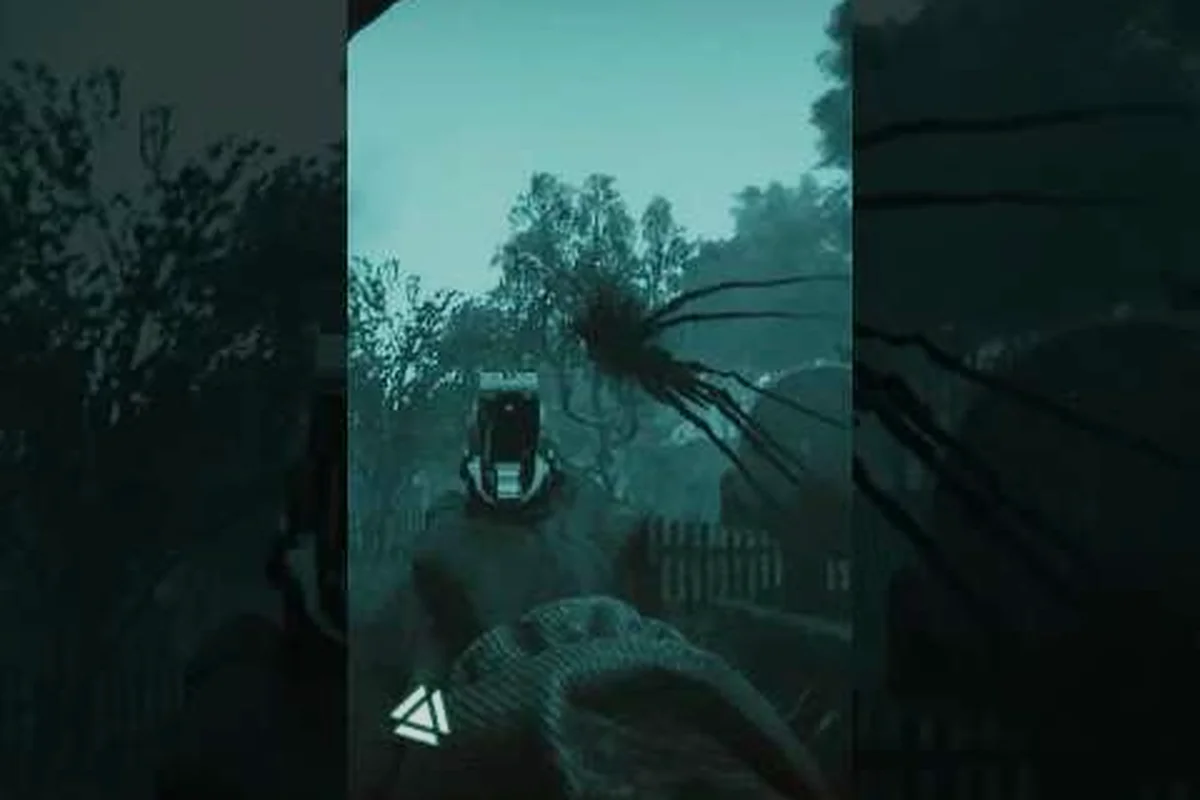
Active Matter arrives on September 15, 2026, and players are already stress-testing rigs ahead of launch. Getting the Active Matter system requirements right matters because this realistic military shooter uses a multiverse-bending physics layer that punishes weak GPUs and starving CPUs. This guide breaks down minimum and recommended specs, frame-rate tuning, controller support, and the cross progression pipeline that links Gaijin Store and Steam saves.
Active Matter System Requirements: Minimum and Recommended Specs
The Active Matter system requirements follow a familiar three-tier structure, but the quantum-anomaly rendering pipeline demands more VRAM than most shooters in the genre. Matter Team published official figures on the Active Matter Steam page, and community testing during the 2026 Next Fest demo has largely confirmed them. Below is the consolidated tier table that most PC players will reference when planning an upgrade or a fresh build before September 15.
| Spec | Minimum | Recommended | Ultra / 1440p Target |
|---|---|---|---|
| OS | Windows 10 64-bit | Windows 11 64-bit | Windows 11 64-bit |
| CPU | Intel Core i5-8400 / AMD Ryzen 5 2600 | Intel Core i7-10700K / AMD Ryzen 7 5800X | Intel Core i9-13900K / AMD Ryzen 9 7950X |
| RAM | 16 GB DDR4 | 16 GB DDR4 | 32 GB DDR4/DDR5 |
| GPU | NVIDIA GTX 1660 Super 6 GB / AMD Radeon RX 5600 XT 6 GB | NVIDIA RTX 3070 8 GB / AMD Radeon RX 6800 16 GB | NVIDIA RTX 4080 16 GB / AMD Radeon RX 7900 XTX 24 GB |
| DirectX | Version 12 | Version 12 | Version 12 |
| Storage | 80 GB SSD | 80 GB NVMe SSD | 80 GB NVMe SSD |
| Display | 1080p @ 60 FPS, Low preset | 1440p @ 60 FPS, High preset | 1440p @ 120 FPS, Ultra preset |
The minimum tier targets 1080p at 60 FPS on the Low preset, which the dev team considers playable for solo raids and PvP skirmishes. Recommended specs push toward 1440p and unlock High or Ultra without dropping below a steady 60 FPS during gravity-anomaly firefights. The Ultra column reflects aggregated community data from the Next Fest beta branch, since Matter Team has not yet published official 4K targets.
What These Specs Mean for Real Hardware
Owners of older quad-core CPUs should expect the renderer to lean heavily on single-thread performance because the anomaly simulator runs on a primary thread. Players on an i5-8400 or Ryzen 5 2600 can still boot the game, but they will likely need to drop to the Low preset and disable volumetric god rays in the multiverse corridors. The 6 GB VRAM floor on the minimum GPU is a hard line — community reports during the 2026 demo flagged texture streaming stutter when VRAM dipped below 5.5 GB during large firefights.
A second concern is storage speed. The game ships an 80 GB install that streams level geometry aggressively, especially in PvP raids where players breach the same zones in waves. SATA SSDs work, but NVMe drives trim several seconds off match loading and noticeably reduce texture pop-in when crossing a zone seam.
Active Matter Performance Guide: What to Expect From Each Tier
The Active Matter performance guide is essentially a map of compromises. Each tier below trades a different visual or temporal feature, and understanding those trade-offs helps players who sit between two hardware brackets find a sensible middle path. Players planning a full settings sweep should also pair this guide with the Active Matter beginner guide so the visual choices align with how the early game actually plays.
| Setting | Impact Tier | Recommended for Min Spec | Recommended for Rec Spec |
|---|---|---|---|
| Texture Quality | High VRAM cost | Medium | Ultra |
| Shadow Resolution | Heavy on mid-range GPUs | Low | High |
| Volumetric God Rays | Very heavy | Off | Medium |
| Anomaly Field Density | CPU-bound | Low | High |
| Anti-Aliasing (TAA) | GPU-bound, mid impact | On | On |
| Ray-Traced Reflections | RTX only, very heavy | Off | Medium (with DLSS/FSR) |
| Crowd / Raid Density | RAM and CPU heavy | Low | High |
The single most expensive setting on minimum hardware is Anomaly Field Density. Cranking it up doubles the CPU workload because the engine must simulate gravity flips and time-space distortion on every active object in the zone. Players chasing a stable 60 FPS on an older CPU should set this to Low even if the GPU has headroom.
Realistic Frame-Rate Targets
Players with the recommended RTX 3070 build should comfortably hold 60 to 75 FPS at 1440p with the High preset, according to aggregated community benchmarks shared after the gamescom 2025 demo. Ultra preset behavior depends on whether DLSS or FSR 3 is enabled — without upscaling, even an RTX 4070 Ti drops into the 50s during the largest anomaly events. Minimum-spec hardware, in contrast, rarely holds a locked 60 without dropping shadows and god rays entirely.
For competitive PvP, the target shifts. A locked 60 FPS is acceptable for casual raids, but players pushing the new PvP modes documented on the Active Matter official YouTube channel will want 120 FPS or higher to keep input lag manageable. That usually means a 1080p High preset plus DLSS Quality on an RTX 4070 class card.
Active Matter PC Settings Guide: Recommended In-Game Configuration
The Active Matter PC settings guide focuses on the levers that actually move the frame counter. The in-game options menu is layered, and several toggles carry misleading labels that hide their real cost. Below is the practical configuration most community testers settle on after a few hours of tuning.
| Setting | Value | Why |
|---|---|---|
| Display Mode | Fullscreen | Lower input lag versus borderless |
| Resolution | Native | Avoid blur from aggressive upscaling |
| V-Sync | Off (with frame cap) | Prevents tearing without adding latency |
| Frame Cap | 60 or refresh rate minus 3 | Stabilizes frametime pacing |
| DLSS / FSR | Quality or Balanced | Recovers 15-25% performance |
| Texture Quality | High or Ultra | VRAM-friendly on 8 GB+ cards |
| Shadows | Medium | Biggest frame-time win on mid GPUs |
| Effects | Medium | Caps grenade and muzzle flash cost |
| Post-Process | High | Keep for clarity in dark anomaly zones |
| View Distance | High | Reduces pop-in on breach raids |
A few of these options deserve more explanation. Frame Cap should track the user's monitor refresh rate or sit 3 FPS below it — the engine's frame pacing is consistent enough that a hard cap produces smoother motion than an uncapped framerate that occasionally spikes. Effects primarily gates muzzle flashes, grenade sparks, and anomaly particle bursts; dropping it to Medium is the cheapest way to clean up frametime spikes during multi-faction raids.
Storage, Drivers, and Background Tuning
Outside the in-game menu, three background tweaks consistently improve the experience. First, players should install the game on an NVMe SSD whenever possible because the streaming system is sensitive to random read latency. Second, NVIDIA and AMD have shipped day-zero driver branches for the September 15 launch, and installing the Game Ready or Adrenalin release before booting Active Matter for the first time prevents a known shader-compile hitch. Third, Windows 11's Hardware-Accelerated GPU Scheduling should stay enabled; community testing reported a 4-7% uplift in minimum frame times when this setting is on.
Players who also stream or record gameplay should also reserve CPU affinity for the game process. Active Matter rewards a quiet system — the anomaly simulator shares its primary thread with the input loop, so a chatty background process can cause input lag spikes that feel like network issues but are actually local CPU contention.
Active Matter Controller Support Guide: Gamepad, Keybind, and Aim Settings
The Active Matter controller support guide matters because the game ships on PS5 and Xbox Series X|S alongside the PC build, and Matter Team has confirmed that cross-input PvP is a real scenario. Console players running on PC and PC players picking up a gamepad both need to know how the engine remaps the action layer.
| Input | Native Support | Notes |
|---|---|---|
| Xbox Wireless Controller | Full | Plug-and-play on Windows 11 |
| DualSense (PS5) | Full | Haptic feedback mapped, triggers adaptive |
| DualShock 4 | Partial | No adaptive triggers, basic rumble |
| Generic XInput pads | Full | May miss gyro and paddle features |
| Keyboard + Mouse | Full | Primary PC input, no parity penalty in PvP |
The game treats keyboard and mouse as the precision input, and the official FAQ on the Active Matter official site confirms that input method does not affect matchmaking or PvP balance. Controllers are fully supported in solo raids and co-op, and the aim-assist curve is gentle enough that experienced gamepad players can compete, though high-rank PvP still favors mouse flick shots at long range.
Remapping, Gyro, and Accessibility
The settings menu exposes a full keybind layer plus a gyro-aim option for DualSense and DualShock 4 owners. Gyro aim is off by default, but enabling it on Fine Aim only — rather than always-on — gives players a precision layer without sacrificing the snap of the right stick. The game also includes independent sensitivity sliders for hipfire, ADS, and vehicle-mounted weapons, which is unusual for the genre and worth tuning per category rather than globally.
Accessibility features include fully remappable buttons, a high-contrast UI mode, an optional hold-versus-toggle aim modifier, and color-blind-safe enemy outlines in PvP. Motion sickness players can enable a stable camera option that locks the third-person view during sprint, which removes the bob that triggers nausea during long breach raids.
Active Matter Cross Progression: Linking Gaijin Store and Steam Saves
Active Matter cross progression is one of the cleaner implementations in the genre because the launch is staged across two storefronts. Matter Team confirmed on the Active Matter news page that players who picked up the Early Version through the Gaijin Store receive free access to the Steam release and can link progress between the two. The system uses a Gaijin account as the anchor, so the linking flow is gated on having a single login.
| Account State | Steam Access | Progress Linked | Notes |
|---|---|---|---|
| Bought on Gaijin Store (Early Version) | Yes, free | Yes after linking | Anchor account is Gaijin login |
| Bought on Steam only | Yes (paid) | Yes, Steam is anchor | No Gaijin account required |
| Bought on Gaijin Store (Standard) | Yes, paid upgrade | Yes after linking | Use upgrade flow in Gaijin Store |
| Bought Elite Squad Edition | Yes, free | Yes, includes 2 extra Standard codes | Codes redeem as separate accounts |
The upgrade flow deserves attention. Anyone who bought the Standard Edition on the Gaijin Store and later wants the Steam build can log into the Gaijin Store with the original account, see an upgrade option, and pay the price difference. This also applies to the Elite Squad Edition, which bundles two extra Standard Edition codes for teammates — those codes redeem as fresh accounts, not as progress merges.
Linking Your Gaijin Account Step by Step
Linking is a short flow, but it has to happen before the first Steam login to avoid a duplicate profile. First, players log into the Gaijin Store and open the Account Linking page. Second, they sign into Steam from the same browser tab and authorize the connection. Third, they launch Active Matter on Steam, sign in with the Gaijin credentials when prompted, and the game imports the existing character, stash, and progression. Community testers have reported the link completing in under five minutes when both accounts use the same email.
A common pitfall is launching the Steam build first and creating a fresh profile before linking. The engine will warn players, but it will not block the action, and the resulting profile becomes a separate save that the linking flow can merge only partially. Anyone planning to play on September 15 should complete the link in advance to keep the stash, refiner unlocks, and syndicate base upgrades from the Early Version intact — the Active Matter refiner guide walks through why those carries matter in the late game.
Storage, Display, and Pre-Launch Checklist
A short pre-launch checklist saves hours of troubleshooting. The table below condenses what most community testers do in the final 48 hours before September 15, and it folds in the settings decisions from the earlier sections.
| Step | Action | Why |
|---|---|---|
| 1 | Verify OS is Windows 10/11 64-bit | Game refuses to launch on 32-bit |
| 2 | Update GPU driver to day-zero build | Prevents shader compile hitches |
| 3 | Confirm 80 GB free on NVMe SSD | Avoids streaming stutter |
| 4 | Disable background overlays (Discord, GeForce Experience capture) | Frees CPU headroom |
| 5 | Set Windows power plan to High Performance | Prevents CPU throttling |
| 6 | Run a 30-minute offline stress test after install | Surfaces thermal throttling early |
| 7 | Link Gaijin and Steam accounts before first launch | Preserves Early Version progress |
| 8 | Apply the in-game preset from the PC settings section | Locks in stable frametime pacing |
The thermal step is worth a second mention. Active Matter pushes modern GPUs harder than its visual style suggests, especially during anomaly-dense raids. A 30-minute offline run on the target preset will surface any case airflow or paste issues before a player commits to a real raid night.
Tuning Difficulty and Progression Around Your Hardware Tier
The conversation between hardware tier and progression is worth one more pass. Players on minimum hardware can still enjoy the full game, but they should plan around longer raid times because frame drops during the anomaly phases slow down the reaction windows that high-FPS players exploit. Conversely, players with Ultra-spec rigs should not assume that visual fidelity translates into faster progression — the loot and refiner economy runs on a fixed timer regardless of frame rate, and base upgrades take the same number of in-game hours on a 4090 as they do on a 1660 Super.
A sensible habit is to play the first two weeks at a stable 60 FPS preset and only push toward 120 FPS or 1440p Ultra once the player has unlocked the late-game refiner recipes and additional maps where the visual upgrades actually pay off. This keeps the early progression loop clean and avoids spending launch week chasing driver updates and stability patches.
Frequently Asked Questions
What are the Active Matter minimum system requirements?
The Active Matter minimum system requirements call for Windows 10 64-bit, an Intel Core i5-8400 or AMD Ryzen 5 2600 CPU, 16 GB of RAM, and an NVIDIA GTX 1660 Super 6 GB or AMD Radeon RX 5600 XT 6 GB. Storage is 80 GB on an SSD, and the target is 1080p at 60 FPS on the Low preset. Players below this floor can still boot the game, but the anomaly simulator will not hold a stable framerate.
Does Active Matter support controllers on PC?
Yes. Active Matter supports Xbox Wireless Controllers, DualSense, DualShock 4, and generic XInput pads on PC. DualSense players get full haptic feedback and adaptive trigger support, and the engine treats controller and mouse input as parity in PvP matchmaking. The settings menu exposes gyro aim, sensitivity sliders per weapon class, and a full remap layer for accessibility.
Can I link my Gaijin Store progress to Steam?
Yes. Active Matter cross progression links a Gaijin account to a Steam account, and players who bought the Early Version on the Gaijin Store get free access to the Steam build. The link must be completed before the first Steam launch, otherwise the engine creates a new profile and the merge becomes partial. Elite Squad Edition buyers also receive two extra Standard Edition codes that redeem as separate accounts.
How much storage does Active Matter need?
Active Matter needs 80 GB of free space for the base install, and the dev team recommends an NVMe SSD for the streaming system. SATA SSDs work, but random read latency shows up as texture pop-in during large raid transitions. Plan for 100 GB of free space to leave room for the day-one patch and any post-launch updates.
What settings should I change first for better FPS?
Players chasing more FPS should lower Shadows, Effects, and Anomaly Field Density before touching resolution or upscaling. Shadows and Effects gate the GPU cost of the most frequent visual events, and Anomaly Field Density is the single heaviest CPU-bound toggle. Combine those with DLSS or FSR on Quality and a frame cap matching the monitor refresh rate to stabilize frametime pacing.